
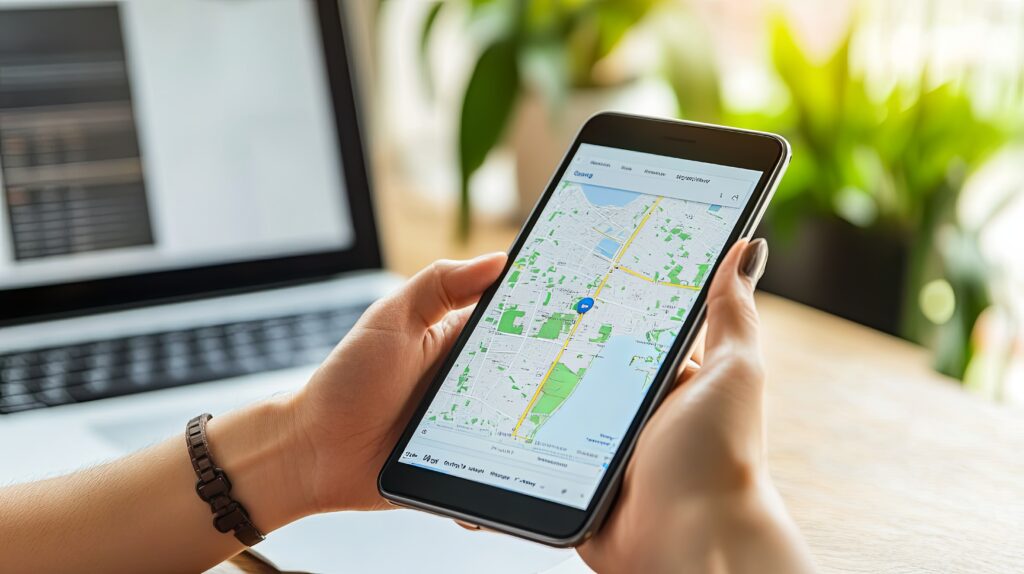
If there’s one thing that can move the needle for a contractor’s local visibility faster than almost anything else, it’s a properly set up and optimized Google Business Profile. A complete, active Google Business Profile for contractors is the single most direct path to appearing in the Google Map Pack — those three local listings at the top of search results that capture the majority of clicks when someone searches “contractor near me.” It costs nothing to set up, and when done right, it generates calls on autopilot.
The problem is most contractors either haven’t claimed theirs, set it up halfway, or haven’t touched it since they first created it years ago. This guide walks through the full setup process — step by step — so you know exactly what to do and why each piece matters.
What Is a Google Business Profile and Why Does It Matter for Contractors?
A Google Business Profile (formerly Google My Business) is the free listing that appears when someone searches for your business or a service you offer in your area. It’s what shows up in Google Maps and in the local results section of Google Search. It includes your business name, phone number, address, hours, reviews, photos, services, and more.
For contractors, this profile is often the first — and sometimes only — thing a potential customer sees before deciding to call. When a homeowner searches “general contractor near me” or “HVAC repair in [city],” the businesses that appear in that local map pack are almost always the ones with complete, active, well-reviewed profiles. If your profile is missing, incomplete, or outdated, you’re invisible to a large portion of your potential customer base.
The good news: most contractors in most local markets haven’t fully optimized their Google Business Profile for contractors, which means the opportunity to stand out is still wide open.
Step 1: Claim or Create Your Google Business Profile
Start by going to business.google.com and signing in with a Google account associated with your business. Search for your business name. If it already exists in Google’s database (which it often does — Google sometimes auto-generates listings), claim it. If it doesn’t exist, create a new one.
During the setup process you’ll be asked to verify your business. Google typically sends a postcard with a verification code to your business address. Some accounts can verify by phone or email. This step is non-negotiable — an unverified profile won’t appear in search results.
Important: If you find a duplicate listing for your business, don’t create a new one — request to merge or remove the duplicate. Multiple listings for the same business confuse Google and can hurt your rankings.
Step 2: Enter Your Business Information Accurately
Once your profile is claimed and verified, the first priority is making sure every field is filled in accurately. This sounds basic, but NAP consistency — Name, Address, Phone number — is a foundational local SEO signal. Whatever name, address, and phone number you list here must match exactly what’s on your website and across every other directory where your business appears.
Fill in:
- Business name: Use your real business name exactly as it appears on your signage, website, and legal documents. Don’t stuff keywords into your business name — Google penalizes this and it can result in suspension.
- Address: Use your physical business address. If you work from home and don’t want to display your address, you can hide it and instead list a service area.
- Phone number: Use a local number if possible — it signals local relevance. Make sure it matches your website.
- Website: Link to your main website homepage or, ideally, to a relevant landing page.
- Hours: Set accurate hours and keep them updated. If you offer emergency or after-hours services, note this in your description.
Step 3: Choose the Right Business Category
Your primary category is one of the most important ranking factors in your Google Business Profile. Choose the category that best describes what you do — not what sounds most impressive, but what people actually search for.
For contractors, common primary categories include:
- General Contractor
- Roofing Contractor
- Plumber
- Electrician
- HVAC Contractor
- Remodeling Contractor
- Landscaper
You can also add secondary categories for other services you offer. For example, a general contractor might add “Kitchen Remodeling” and “Bathroom Remodeling” as secondary categories. Don’t over-add — stick to the services that genuinely represent your work.
Step 4: Write a Keyword-Rich Business Description
Your business description is 750 characters and gives you space to tell potential customers what you do, where you do it, and what makes you different. Write it for the reader first, but include your most important keywords naturally — particularly your trade and your service area.
A strong description for a contractor might look like:
“[Business Name] is a licensed and insured general contractor serving Bucks County, Montgomery County, and the surrounding areas. We specialize in kitchen and bathroom remodels, home additions, and full interior renovations. With over 15 years of experience and hundreds of completed projects across the region, we’re the local team homeowners trust for quality work and honest pricing. Call us for a free estimate.”
Notice how it mentions the trade, the location, specific services, and a clear call to action — all within a readable, natural paragraph.
Step 5: Add Your Services
Google gives you the ability to list specific services under your profile. Use this section thoroughly. Each service you add is another opportunity for Google to match your profile against a relevant search. Don’t just list broad categories — be specific.
For a general contractor, services might include:
- Kitchen remodeling
- Bathroom renovation
- Home additions
- Basement finishing
- Deck building
- Interior renovation
- Free estimates
Add descriptions to each service where possible. These descriptions are indexed by Google and contribute to how well your profile matches specific search queries.
Step 6: Define Your Service Area
Contractors who travel to customers — rather than having customers come to them — should set a service area rather than just a single address. You can add multiple cities, towns, or counties that you serve. This tells Google where to show your listing in local results.
Be realistic with your service area. Google rewards profiles that match search intent geographically. If you list a 100-mile service radius but your reviews and jobs are all clustered in a 20-mile area, your rankings in the outer zones will be weak. Focus on the areas where you genuinely do most of your work and let your track record build from there.
Step 7: Upload High-Quality Photos
Photos are one of the most underused elements of a Google Business Profile for contractors — and one of the highest-impact ones. Profiles with photos receive significantly more clicks and calls than profiles without them. For a contractor, photos also serve as social proof: before-and-after project shots, team photos, and photos of your work in progress all build trust before a customer ever picks up the phone.
Upload at minimum:
- A professional logo or business name graphic
- A cover photo (your best project, team photo, or vehicle)
- 5–10 project photos showing completed work
- Before-and-after photos when available
Add new photos regularly — at minimum monthly. Google’s algorithm treats recently updated profiles as more active and relevant, and fresh photos signal that your business is current and engaged.
Step 8: Get Google Reviews — Consistently
Reviews are the single most powerful ranking and conversion factor in your Google Business Profile. A contractor with 50 genuine five-star reviews will almost always outrank a competitor with 10, even if the competitor has a better website. And for potential customers, reviews are the deciding factor — most homeowners read reviews before choosing a contractor.
How to build reviews consistently:
- Get your Google review link from your GBP dashboard and save it
- After every completed job, send a short, personal text or email with that link
- Ask in person at job completion — “Hey, if you’re happy with the work, a Google review would really help us out”
- Never incentivize reviews — it violates Google’s policies and can get your listing penalized
- Respond to every review, both positive and negative — it shows you’re engaged and builds trust with future readers
Consistency matters more than volume. Ten new reviews per month over six months is far more valuable than 60 reviews all at once followed by silence.
Step 9: Post Weekly Updates
Google Posts allow you to publish short updates, offers, events, or project highlights directly to your profile. Most contractors ignore this feature entirely — which is exactly why using it gives you an edge.
Weekly posts signal to Google that your profile is active. They also give potential customers something current to look at when they land on your listing. Effective post ideas for contractors include:
- A recently completed project with a photo and brief description
- A seasonal promotion (“Spring deck building — book now for May start dates”)
- A before-and-after reveal
- A tip or piece of advice relevant to your trade
- A customer spotlight (with permission)
How a Fully Optimized Google Business Profile for Contractors Drives Real Results
Here’s what a fully set up and maintained Google Business Profile for contractors actually produces over time: consistent inbound calls from people in your service area who are already looking for what you do. No shared leads. No competing with four other contractors on the same inquiry. Just customers who found you, saw your reviews and work, and chose to call.
Contractors who maintain their GBP — posting regularly, adding photos, collecting reviews — consistently report that their profile becomes one of their top lead sources within six to twelve months. And unlike paid platforms, it doesn’t cost you anything per lead.
The GBP works best as part of a broader local SEO strategy. Your profile sends strong signals, but it works in conjunction with your website’s authority and your citation consistency across the web. For a full picture of how these pieces fit together, our guide on SEO for general contractors covers the complete strategy.
Common Mistakes Contractors Make with Their Google Business Profile
Before you close this tab, here are the most common errors we see contractors make with their profiles — and how to avoid them:
- Keyword stuffing the business name: Adding keywords like “Best Roofer | Free Estimates | Licensed” to your business name field violates Google’s guidelines and can get your listing suspended.
- Using a tracking phone number as the primary number: If that number doesn’t match your website, it creates NAP inconsistency. Use a consistent number everywhere.
- Setting it up once and never returning: Google rewards active profiles. A profile with no recent photos, no posts, and no new reviews looks dormant — because it is.
- Not responding to negative reviews: A negative review with no response looks worse than a negative review that’s been handled professionally and respectfully.
- Choosing the wrong primary category: Your primary category is one of the most important ranking signals. Choosing “Home Improvement” instead of “General Contractor” is a missed opportunity.
Ready to Make Your Google Business Profile Work Harder?
Setting up your Google Business Profile for contractors is the starting point — but ongoing optimization is what turns it into a consistent lead source. If you’d rather have someone else handle it so you can focus on running your business, that’s exactly what we do.
If you’re also wondering why your profile isn’t generating the calls you expected even after setting it up, the answer is often deeper than the profile itself — check out our post on why contractors stop buying leads from Angi and HomeAdvisor to understand the full picture of owned vs. rented lead generation.
At RedKnight, our local SEO services include full Google Business Profile setup, optimization, and ongoing management — so your profile is always working, always current, and always generating the calls your business deserves.